Cybersecurity Blog

Intelligently Categorising Software in Tanium

When reviewing a large inventory of software, it is almost impossible to determine what some of the software actually is without looking it up online. Additionally, even if you do recognise it, it is not feasible to scroll through the entire inventory while manually taking note of unsanctioned software that needs to be removed or monitored. We decided to try and automate this process as best we could by creating some custom content in Tanium to categorise an organisation’s entire software inventory.
This content aims to provide a rough way of categorising software across any environment. It is not to be used for regulatory or audit purposes as it is not perfectly accurate, but it gives a good overall idea of the kind of software in environments and very easily highlights software of interest, such as remote access software, anti-idle software (i.e. MouseJiggler), games, and so on.


The software was categorised in three different ways:

  • Software Purpose: What the software actually is/does
  • Safety Class: Whether software is typically sanctioned/considered safe in organisations
  • Support Status: Whether the software is known to be out of support or not
 

Software Purpose
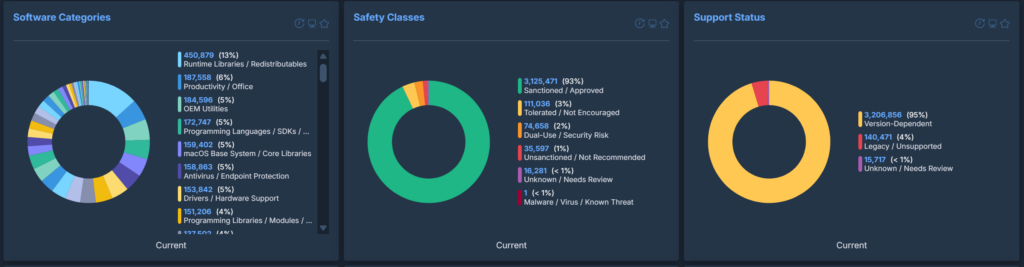
There are 69 software categories at the time of writing. These cover everything from Communication / Collaboration (such as Outlook and Teams) to Peripheral Management (such as Logitech Webcam Software) to Runtime Libraries / Redistributables (such as Microsoft Visual C++ Redistributables).

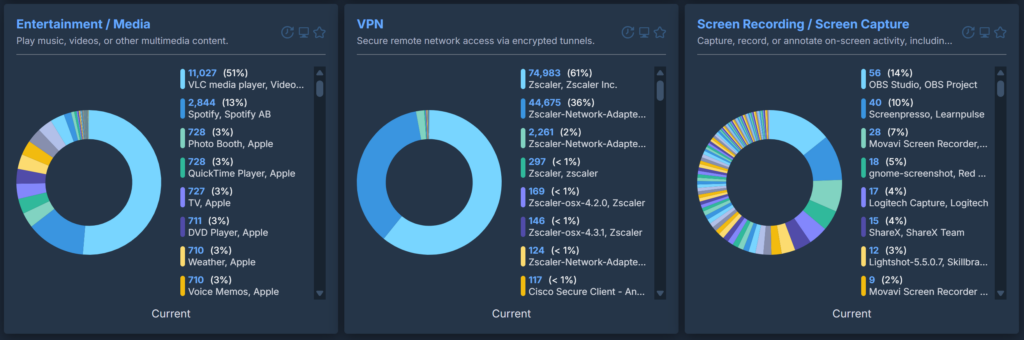
These will sort an entire inventory into very clear categories and can easily highlight software of interest. If an organisation uses a single, standard VPN tool and this content reports dozens of different VPN tools installed across the estate, it is clear that users are installing their own. The same is true for remote access software, password vaults and so on.
 

Safety Class
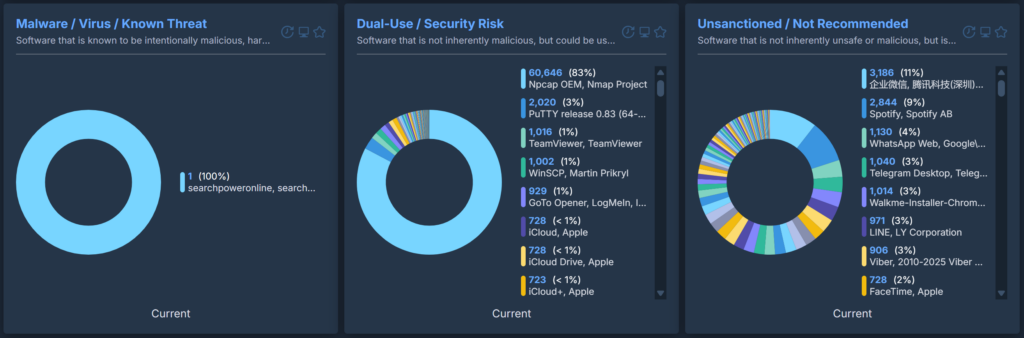
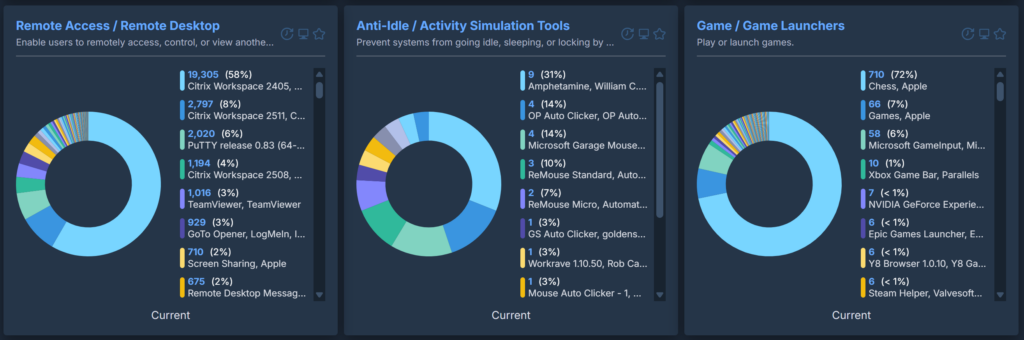
These highlight anything that is typically unsanctioned by organisations or that could pose a threat. For example, the ‘Dual-Use / Security Risk’ class is used for software that is typically used for perfectly legitimate purposes but that either has the potential to be leveraged by threat actors, or is already known to be. Putty and WinSCP are excellent examples of this, and this also includes tools that can provide low-level system/network access without enterprise controls or audit trails.


Support Status
These mainly aim to emphasise software that is known to be completely out of support, such as Microsoft Silverlight. It does not look at each individual version of a tool as this would be impossible to maintain.

How we Created the Categorisation

We exported a list of all software from our customers and kept only the software name and the vendor name. Duplicates were removed, as well as anything that could identify a customer.
The categories, classes and support statuses were created over a period of time as more and more software was reviewed. We made use of GPT-4 to do this, as it could review large chunks of software and recommend any categories that we hadn’t thought to add in. We also asked it to write the definitions of the categories in a way that an AI model would understand.
It became clear early on that an AI model would struggle to follow categorisation rules merely on their own, so an example dataset was created to compliment it. This allowed the model to see how software had been categorised in practice and the larger this example dataset was, the more accurate the model became. The dataset was just above 3000 rows in size when it was deemed detailed enough. It also contained at least a handful of examples from every single category, class and support status.
The definitions and rules for the categories were continuously updated alongside the development of the example dataset whenever they overlapped with other categories or needed to be worded more clearly for an AI model to understand. The example dataset was largely manually reviewed in order to ensure it was as accurate as possible.

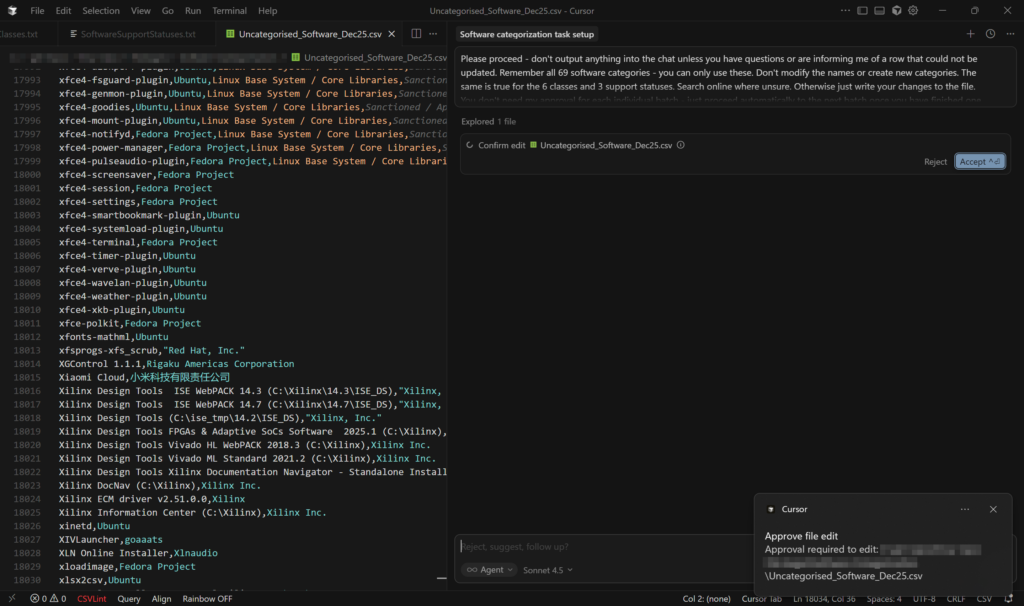
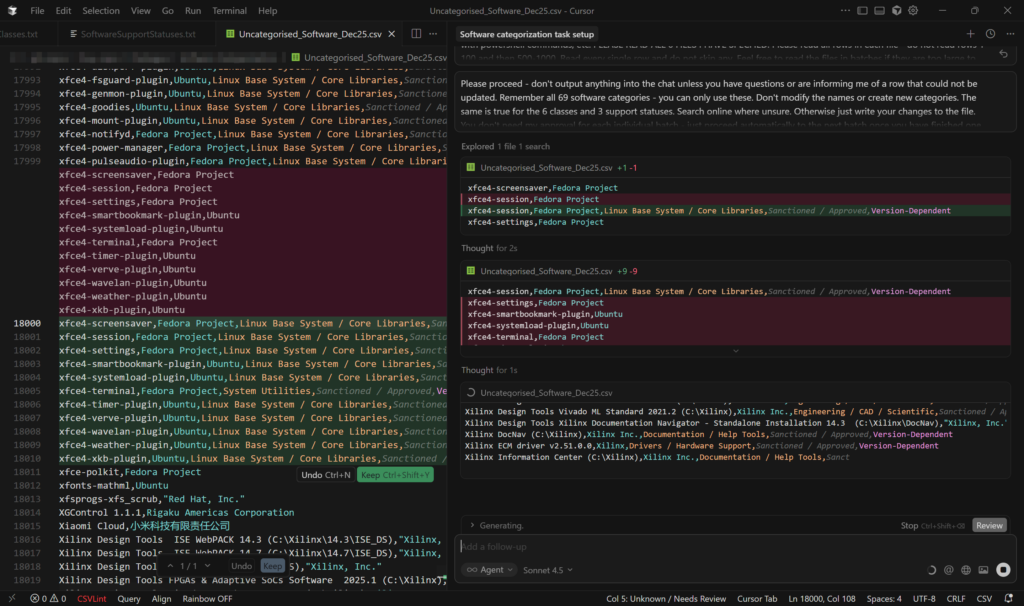
The mass-categorisations were done in Cursor with the Claude Sonnet model as opposed to in-browser with GPT-4. This model was far, far better at following specific rules for categorisation criteria and Cursor allowed it to edit the file itself and saved having to copy/paste results. It also allows files to be added as context, meaning the rules for the categories, classes and support statuses could each be saved in their own file and also no longer needed to be copied and pasted into a prompt window. This was also true of the example dataset along with a file of general rules for the categorisation that told the AI model what to do.
 

After this large dataset was created, it became clear that a lot of it would not be scalable due to so many pieces of software having version numbers in the name or having a large number of variants that would all fit into the same category. We decided to create a second dataset that consisted of RegEx filters. These would allow for new versions of software to be automatically picked up by the same filters without needing to be added into the ‘raw’ categorisation each time. This also allowed for a massive reduction in the size of the dataset, down from 120k rows to 53k from just 1100 rows of RegEx.


How we Deliver the Categorisation

We deliver the datasets on a one-time basis to avoid regularly sending large files out across the network. Machines are targeted if they do not have the file at all or if the hash of an existing file does not match the hash of the latest version. A second action works out what is installed on a machine and searches through the datasets to find a match. It outputs matches and their categorisations to a text file in the Tanium client directory, which is then read by a sensor. This is also done in a separate text file for software that is not found in the categorisation so that we can easily export new software that needs to be categorised and added to the datasets.
We then created a dashboard to break down the categories/classes/support statuses across environments and also to highlight anything of interest, such as known malicious software, unsanctioned software, games, VPN tools, remote access tools, entertainment applications, and so on.

What we Have Found so Far

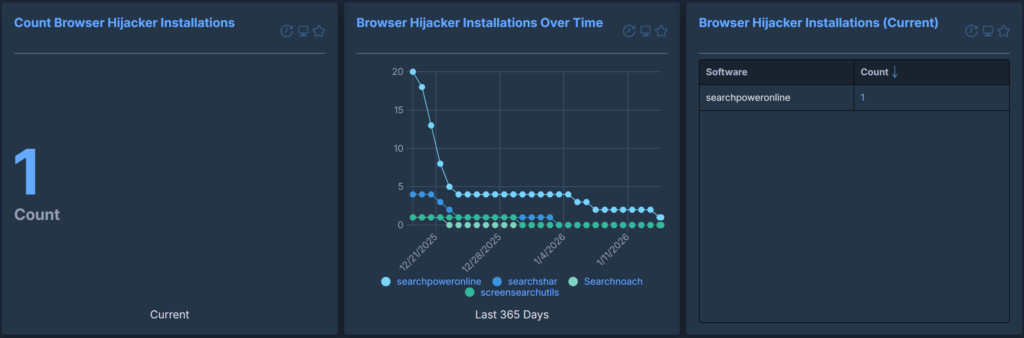
Even in the early stages of testing this content, we were able to see installations of known browser hijackers in multiple customer environments. These had been highlighted by the ‘Malware / Virus / Known Threat’ safety class, and we were then able to quickly uninstall the tooling using Tanium. We were also able to track the uninstallations over time by creating additional dashboards to visualise the removals.

In practice, we have found that this content provides critical context when reviewing an organisation’s software inventory. It translates a faceless list of unknown tools into their purpose, how safe they are, and whether they are out of support or not. Individual categories/classes/support statuses can be extracted and monitored either as a report or visualised in a dashboard, allowing for a much-needed and comprehensive summary of what is actually in your environment and what you need to focus on